
Delivery charges land inside your unit cost. Tools depreciate month by month. Rent, power and subscriptions have somewhere to go. And at the end there is a number: what the month actually earned.
A supplier receipt carries the goods, the delivery charge and the VAT. Post it and the courier is spread across the batch it delivered - so the price per kilo is what you really paid.
Melters, printers, moulds: each item with its own purchase, straight-line depreciation posted monthly, and a write-off with a reason when it finally goes.
Studio rent, power, subscriptions. Say what falls due and when, and the screen tells you what has not been recorded yet - each payment with its own amount and its own receipt.
Typing a supplier receipt in line by line is the dullest job in a workshop. Take a photo or upload a PDF instead, and Masto Control reads the paper into a draft receipt: supplier, number, date, VAT, the goods, and the delivery charge or discount at the bottom.
Included in every plan. Only the file you scan and the names of your materials, tools and suppliers are sent to our AI provider, which does not train on them - see the privacy policy.
How it works →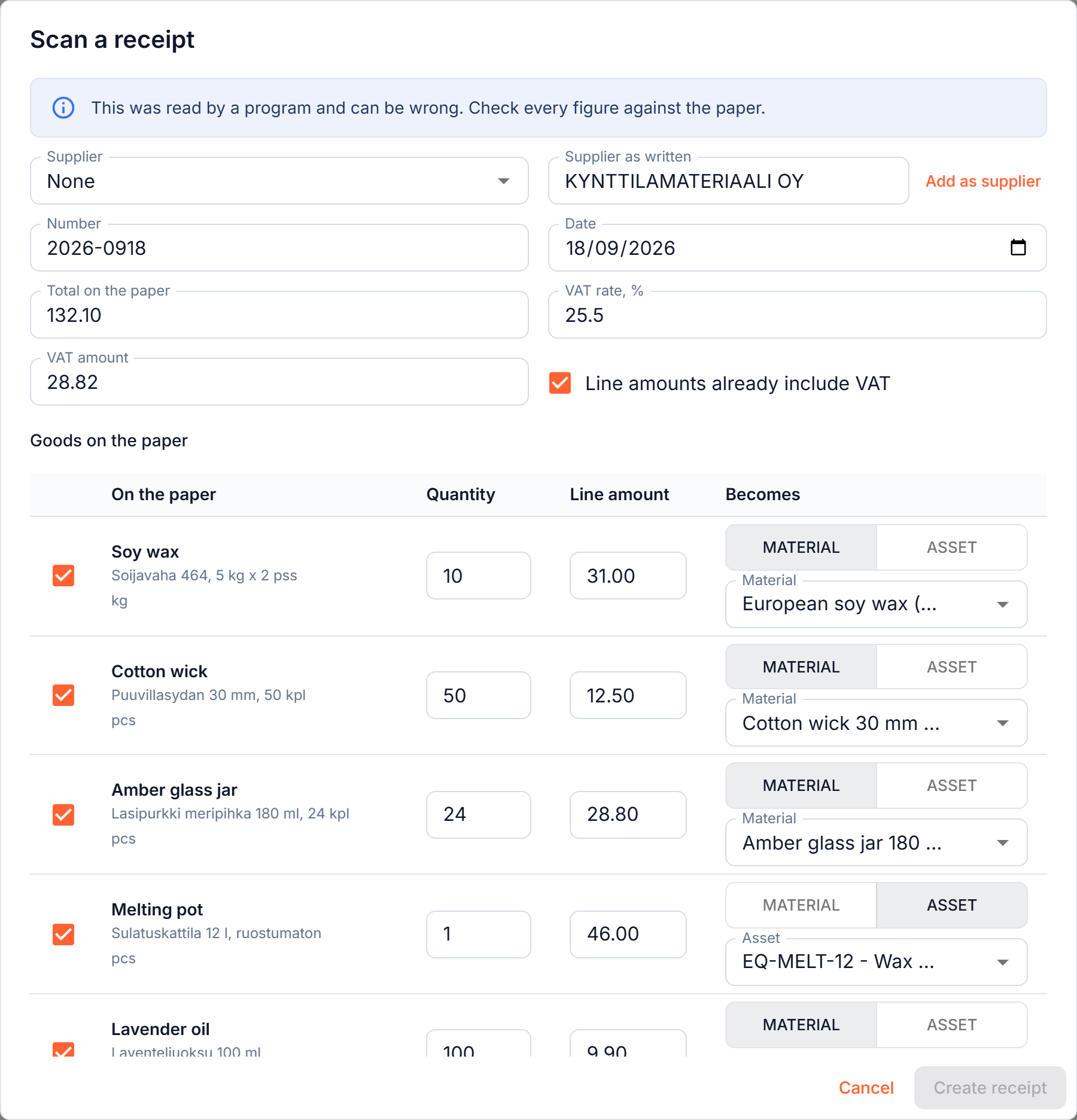
Most costing tools stop at materials, because materials are the easy part. Rent does not arrive on a delivery note, and a bench scale is not stock. They still come out of the same bank account.
Masto Control records them where they belong: as period costs with a category, kept out of what a candle cost to make, and added back where the question is "did the month pay for itself".
How it works →

Pouring a candle does not use up a jug, so tools are not stock. Each item you own is tracked on its own: what it cost, what it has depreciated, what it is worth now, and - when it finally gives up - why it left.
One button catches every item up to the end of last month. Press it as often as you like; a month is never charged twice.
How it works →Enough bookkeeping to answer the questions a maker actually has - and no more.
No card required. Full access from day one.
Create account →